How to create tyre and rim return requests
Registered user
- Go to My orders.
- Select the order with the required item and click on Details about the order.
- Select Items to return or replace in the new window.
- Select an item and indicate the reason for return. Read more about this below.
You can also make a return request via the Returns portal:
Enter the number of the order with the item to be returned and the delivery postcode.
Please note: If you placed the order as a guest user, create a return request via the Returns portal.
Once the request has been processed, you will receive a reply via email. Once you have received an email accepting the return request, you can send the goods back.
Sending returns
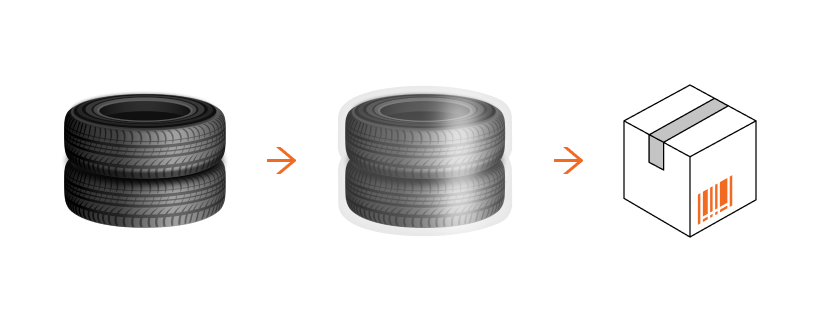
- Wrap the tyres/rims in packaging film. If there are an even number of tyres, pack them in pairs.
- Follow the instructions in the email you received.
The deadline for returning tyres/rims is 14 business days from the delivery date. The products can only be returned if they have not been installed on the vehicle. Returns are free of charge.
How to fill in return requests for certain reasons
The tyres I received differ from the ones I ordered
- Select the reason Package contents do not correspond to my order.
- Indicate the number of the tyres that do not match the order.
- Attach photos of the delivered tyres. The photographs should clearly show both the tyres themselves and their labels with the brand and dimensions.
- Specify whether you want us to replace the tyres or, if you received more tyres than you ordered, whether you would like to keep them. If you decide to keep them, you will receive an email with a link to pay for them.
The products were delivered in a damaged condition
Important: within 3 days of receiving your order, make a return request, including a description of the problem and attaching photos as evidence.
- Select the reason Package is not damaged, item is damaged or Package is damaged, item is damaged.
- Indicate the number of damaged tyres.
- Attach photographs to prove the damage.
The photographs should clearly show:
- the whole tyres and the damaged areas individually
- product labels with the brand and tyre code
- all sides of the shipping box, including the label with the parcel tracking number.
Specify whether you would like a replacement or refund.
Some of the items ordered are missing from the parcel
- Select the reason Package contents do not correspond to my order.
- Specify the total number of tyres delivered. If you ordered more than one set of tyres, enter the item number/name of the missing tyre.
- Attach photographs showing that the order is incomplete.
The photographs should clearly show:
- the tyres and the labels with the brand and dimensions;
- all sides of the shipping box, including the label with the parcel tracking number.
Specify whether you would like us to replace the tyres or refund your money.